Shopify will happily generate a starter privacy policy for you in Settings, and for a lot of stores that starter document is where the compliance work quietly stops. The problem is that Shopify's template describes what Shopify itself does with data. It has no idea which apps you've installed, whether you're running the Meta pixel, or if your checkout has an email marketing opt-in box that GDPR treats very differently from a pre-checked one.
A privacy policy is a statement of fact about your specific store, not a generic legal document you paste in once and forget. Here's how to actually write one, step by step, using what's unique about running a store on Shopify.
Why Shopify's own template isn't enough on its own
Shopify's built-in policy generator (Settings > Policies) produces a reasonable skeleton: it names your business, states that you collect order and browsing information, and links to Shopify's own data processing terms. That's a fine starting point, but it's written to cover Shopify the platform, not your store's actual data footprint.
Two stores on the same Shopify plan can have completely different privacy obligations. One runs no apps beyond the default checkout and ships to one country. The other runs Meta and TikTok pixels, a post-purchase upsell app, a loyalty program, an SMS marketing tool, and sells into the EU and California. The second store needs to disclose every one of those data flows by name, and Shopify's generic template has no way of knowing they exist.
Step 1: List everywhere your store actually collects data
Before you write a word of policy text, walk through your own store like a customer would and note every point where data changes hands. For most Shopify stores that list includes:
- Checkout fields: name, email, shipping and billing address, phone number, and payment details collected during checkout.
- Shopify Payments or your payment processor: if you use Shopify Payments, PayPal, or another gateway, that processor receives and stores payment data independently of your store.
- Installed apps and tracking pixels: the Meta pixel, Google Ads and Google Analytics tags, TikTok pixel, review apps like Yotpo or Judge.me, loyalty and rewards apps, and upsell or subscription tools. Each one of these is a separate data recipient with its own tracking behavior.
- Cookies: Shopify sets cookies for cart persistence and checkout, and most of the apps above add their own analytics or advertising cookies on top.
- Email and SMS marketing opt-ins: the "email me with news and offers" checkbox at checkout, plus any newsletter signup form or SMS consent you collect separately.
Open your Shopify admin's app list and your theme's installed scripts and write all of it down. This list becomes the backbone of your policy, because a privacy policy that doesn't name your actual apps and processors is not accurate, no matter how well it reads.
What each data source needs disclosed
| What it touches | Must be named | |
|---|---|---|
| Checkout fields | Name, address, phone, payment info | That you collect these fields |
| Payment processor | Shopify Payments, PayPal, etc. | The processor, by name |
| Apps and tracking pixels | Meta, TikTok, Google Ads, review apps | Each recipient by name |
| Cookies | Cart cookies plus each app own cookies | What is set, how to reject it |
| Email and SMS opt-ins | Checkout checkbox, newsletter signup | Consent can be withdrawn anytime |
Step 2: Turn on Shopify's built-in privacy controls first
Before you touch the policy text, go to Settings > Customer privacy in your Shopify admin. This is where Shopify lets you configure the cookie consent banner shown to EU visitors and the "do not sell or share my personal information" mechanism required for California customers under the CCPA and CPRA. Getting these settings right matters because your privacy policy needs to describe the controls you've actually switched on, not controls you plan to add eventually.
If you sell to customers in the EU or UK, enable the cookie banner here and decide whether non-essential cookies (the ones your marketing apps set) load before or after consent. If you have customers in California, configure the opt-out mechanism and make sure it's reachable from your storefront, not just buried in a settings page nobody visits.
Step 3: Draft the policy content around what you found
With your data map and privacy settings in hand, the policy itself needs to cover, in plain language:
- What personal information you collect at checkout and why.
- That Shopify Payments (or your processor) handles payment data, and that it doesn't pass full card numbers to you.
- Every third party app or pixel that receives customer or browsing data, named specifically rather than described vaguely as "marketing partners."
- What cookies your store sets and how a visitor can control or reject them.
- How email and SMS opt-ins work, including that customers can withdraw consent at any time.
- How long you retain order and account data, and how customers can request access to or deletion of their information.
- Which jurisdictions' rules you're following (GDPR for EU customers, CCPA and CPRA for California, and any others relevant to where you ship).
This is the part most store owners either skip or get generic. Writing it by hand means researching each of GDPR, CCPA, and any other law you're subject to, then translating legal requirements into plain English that actually matches your store. That's exactly what a purpose-built generator handles for you: you answer questions about which apps, processors, and marketing tools you use, and it assembles a policy that names them.
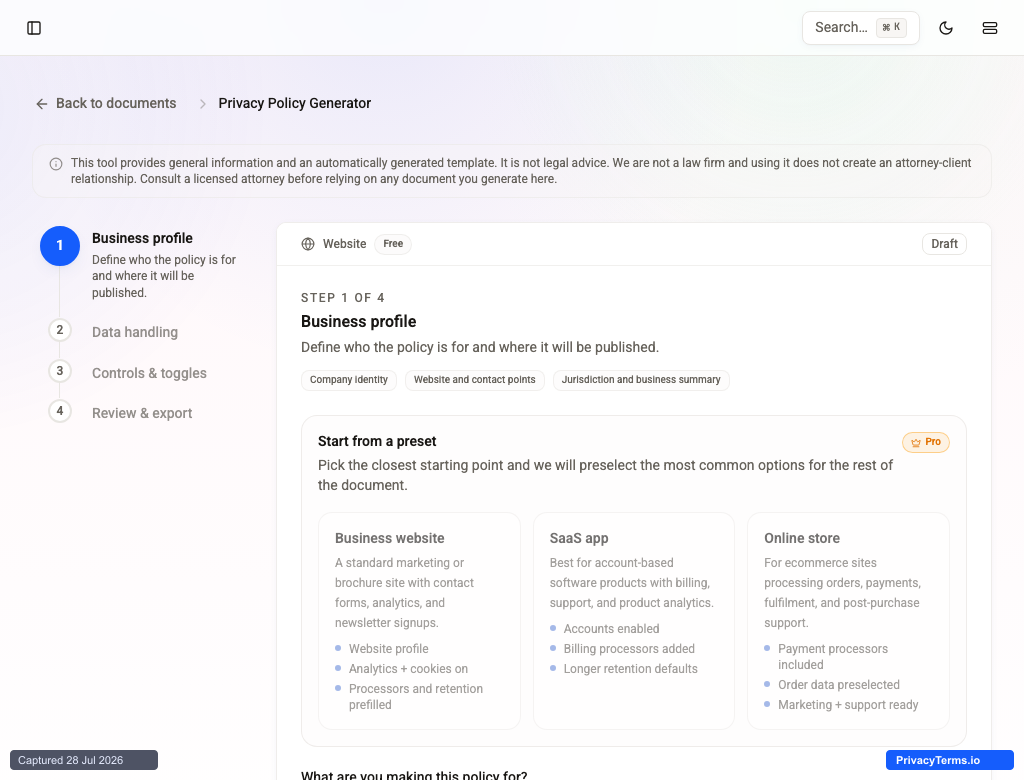
Step 1 of the Privacy Policy Generator: the business profile that anchors the rest of the document to your actual store.
Later in the same flow, you switch on the clauses that match your app stack instead of writing them from scratch:
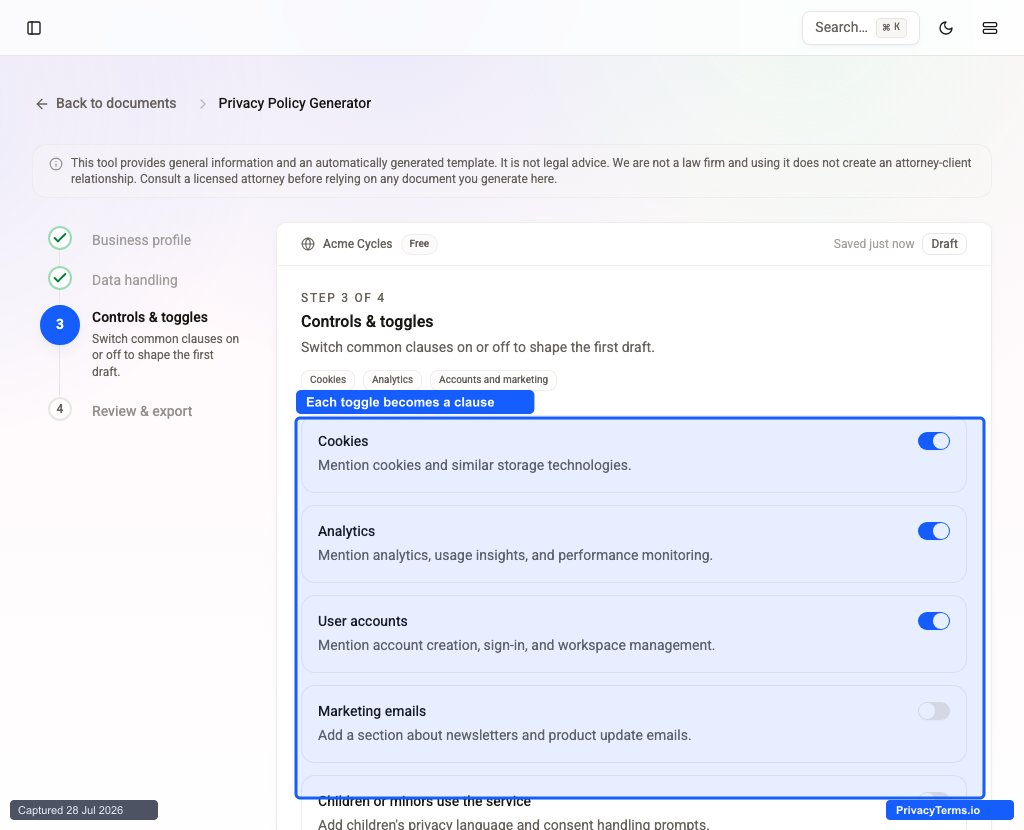
Cookies, analytics, accounts, marketing email, and children's privacy each toggle a corresponding clause in the generated policy, matching the data map from Step 1 above.
Step 4: Add the policy where Shopify expects it
Once you have a finished policy (whether generated or hand-written), go to Settings > Policies in your Shopify admin and paste it into the Privacy policy field. Shopify automatically links this to your checkout footer, so every customer sees it during the payment step, which satisfies the "conspicuous at checkout" requirement most privacy laws expect.
That automatic checkout link is not the same as your policy being reachable from your storefront's main navigation, though, and this is where a lot of stores fall short. Go to Online Store > Navigation and add an explicit link to your privacy policy in your footer menu. If a visitor lands on your homepage and never reaches checkout, Shopify's automatic checkout link never shows them anything. A footer link that's visible on every page closes that gap.
Step 5: Cover the checkout page specifically
Checkout is where the most sensitive data changes hands, so it deserves its own check. Confirm that:
- The privacy policy link Shopify auto-adds to checkout actually points at your finished, accurate policy (not the untouched Shopify placeholder text).
- The marketing opt-in checkbox at checkout is unchecked by default if you have EU customers, since GDPR requires active opt-in consent rather than a pre-ticked box.
- Any post-purchase upsell or survey apps that run after payment are also disclosed in your policy, since they often collect additional data after the sale is complete.
Step 6: Keep it current as your app stack changes
A Shopify store's data footprint changes more often than most business owners expect. Installing a new email tool, adding a retargeting pixel, or switching payment processors all change what your privacy policy needs to say. Treat your app list from Step 1 as a living document: whenever you install or remove an app that touches customer data, revisit your policy and update it along with the effective date at the top.
Stores that skip this step end up with a privacy policy that accurately described their setup a year ago and misrepresents it today, which is its own compliance problem even if the original document was well written.
Get a Shopify-ready policy without starting from scratch
Writing an accurate privacy policy by hand means tracking GDPR, CCPA, and CPRA requirements yourself and making sure the wording covers every app and processor in your store. Our Privacy Policy Generator builds a lawyer drafted policy around your actual answers, covers the major laws automatically, and gives you a document you can drop straight into Settings > Policies and your footer menu.
The information in this article is for informational purposes only and should not be construed as legal advice on any matter, and does not create a lawyer-client relationship.