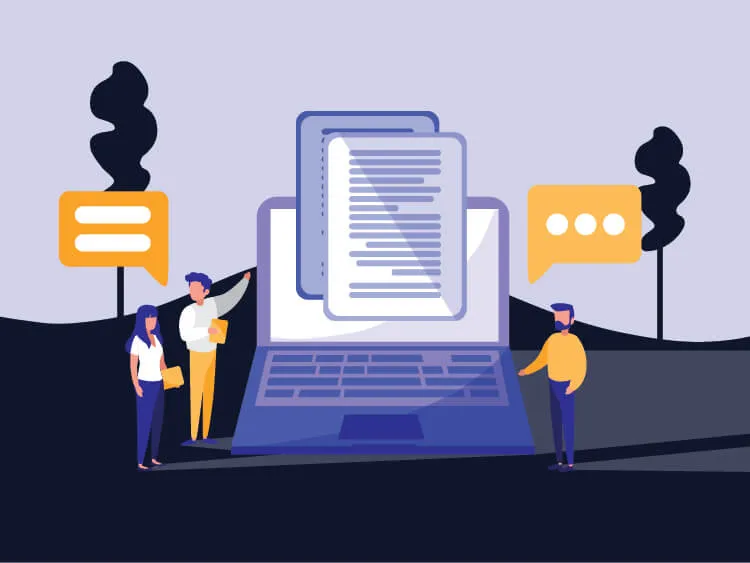
Clickwrap, shrinkwrap, and browsewrap agreements are all commonly used online to protect both parties in a transaction and make sure everyone is aware of the terms they’re agreeing to.
A clickwrap agreement is a contract that requires the user to actively click a button or link to agree to the terms, used when a company wants to make sure the user has understood and agreed to its terms of service before using a product. A shrinkwrap agreement is used when a user needs to review contract terms before purchasing a physical product, such as software sold on disc or in packaged boxes. A browsewrap agreement is different again: it’s formed simply through a user’s interaction with a website, without requiring any specific action like clicking a button.

What Is a Clickwrap Agreement?
A clickwrap agreement is a legal contract between two parties formed when the user clicks a button or link, such as “I accept” or “Agree,” to agree to the displayed terms.
When to use it: clickwrap is typically used when you need to ensure someone agrees to your terms of service before using a product or service (streaming platforms requiring agreement to terms before playback, for example).
When not to use it: avoid clickwrap when your site is for personal, non-commercial use only, when you’re only collecting basic personal information like a name or email address, or when you want the user to be able to review the contract at length before agreeing.
What Is Browsewrap?
A browsewrap agreement is formed through a user’s interaction with a website, without requiring them to take a specific action like clicking a button. It’s generally only enforceable if the website can show the user had reasonable notice of the terms and consented to them simply by using the site.
When not to use it: avoid browsewrap if your terms aren’t visible or obvious on the site, if a dispute over what the user agreed to is plausible (since there’s no explicit action to point to), or where courts in your jurisdiction are unlikely to find implied agreement without clear notice.
Clickwrap vs Browsewrap
| Clickwrap | Browsewrap | |
|---|---|---|
| User action required | Must click a button or link to agree | No specific action required |
| Notice of terms | Terms are typically displayed on screen | Terms may not be prominently displayed |
| Enforceability | Generally more enforceable | May not be enforceable if the user wasn’t aware of the terms |
| Suitability | Best where you need certainty the user agreed | Weaker where a dispute over agreement is likely |
| Legal validity | Generally considered valid and binding | May not be considered valid in some circumstances |
Because it doesn’t require any explicit action from the user, browsewrap is an increasingly weak way to obtain consent, and its use is declining in favour of clickwrap.
What Is Shrinkwrap?
A shrinkwrap agreement (or shrinkwrap licence) is a software licence where the purchaser agrees to the licence terms before being able to use the software, commonly used for physical software packages or digital downloads.
Clickwrap or shrinkwrap?: a clickwrap agreement is generally considered more legally binding than a shrinkwrap agreement, because it requires the user to affirmatively agree to the terms, whereas shrinkwrap typically requires no explicit action. Courts are more likely to find a user assented to a clickwrap agreement than a shrinkwrap one.
Conclusion
Clickwrap, shrinkwrap, and browsewrap are all different types of online agreement, each with its own strengths and weaknesses. Clickwrap is generally the most enforceable, since the user has taken a clear, affirmative action to agree, whereas with browsewrap, they may never have read the terms at all.
Generate your terms and conditions and privacy policy using our free generators, and use our blog for more tips on creating policies suited to your business.
The information in this article is for informational purposes only and should not be construed as legal advice on any matter, and does not create a lawyer-client relationship.

![$3.31 Billion in Dark Pattern Fines: The Full Case List [2026]](/_astro/dark-pattern-fines-and-cases-2026.DzPrV2ck_Z9Uyfc.webp)